So you've heard "Claude is better" - maybe you're even sick of hearing "Claude this, Claude that" because you don't reaaaaally want to switch if you don't have to.
You've invested so much time into ChatGPT already, telling it about your business or work habits, your preferences, and your offers. It already knows how you write and speak, and has learned so much, so switching seems daunting.
How do you do it without losing all that work?
The good news is you don't need to opt in to some fancy super-prompt from an influencer to get a prompt that will help you move from ChatGPT to Claude. Claude already gives you a prompt to gather your ChatGPT memories right in the app, and a place to paste them into Claude's memory system. You just need to decide what's important to bring over, pop it in, and then learn how to use the new system.
First, decide if you actually want to transfer information
Claude is a different beast altogether, and it works differently because it has many features beyond the chat-only interface you're used to in ChatGPT.
So before you take the leap in moving old information over, think through whether you really want to transfer your information. This could be an opportunity to start from scratch with a new system and learn it from scratch.
However you do decide to transfer your memories, it doesn't hurt and you can always turn them off if you change your mind. Claude updates its memory about you each night when you have memory turned on, and you can also completely edit what it "remembers" about you.
Sign up for Claude and turn on the "Memory" feature
Within your Claude settings, go to the "Capabilities" tab. Right there at the top, you'll see settings for Memory. When you have this on, Claude will automatically generate and update its memories about you each day.
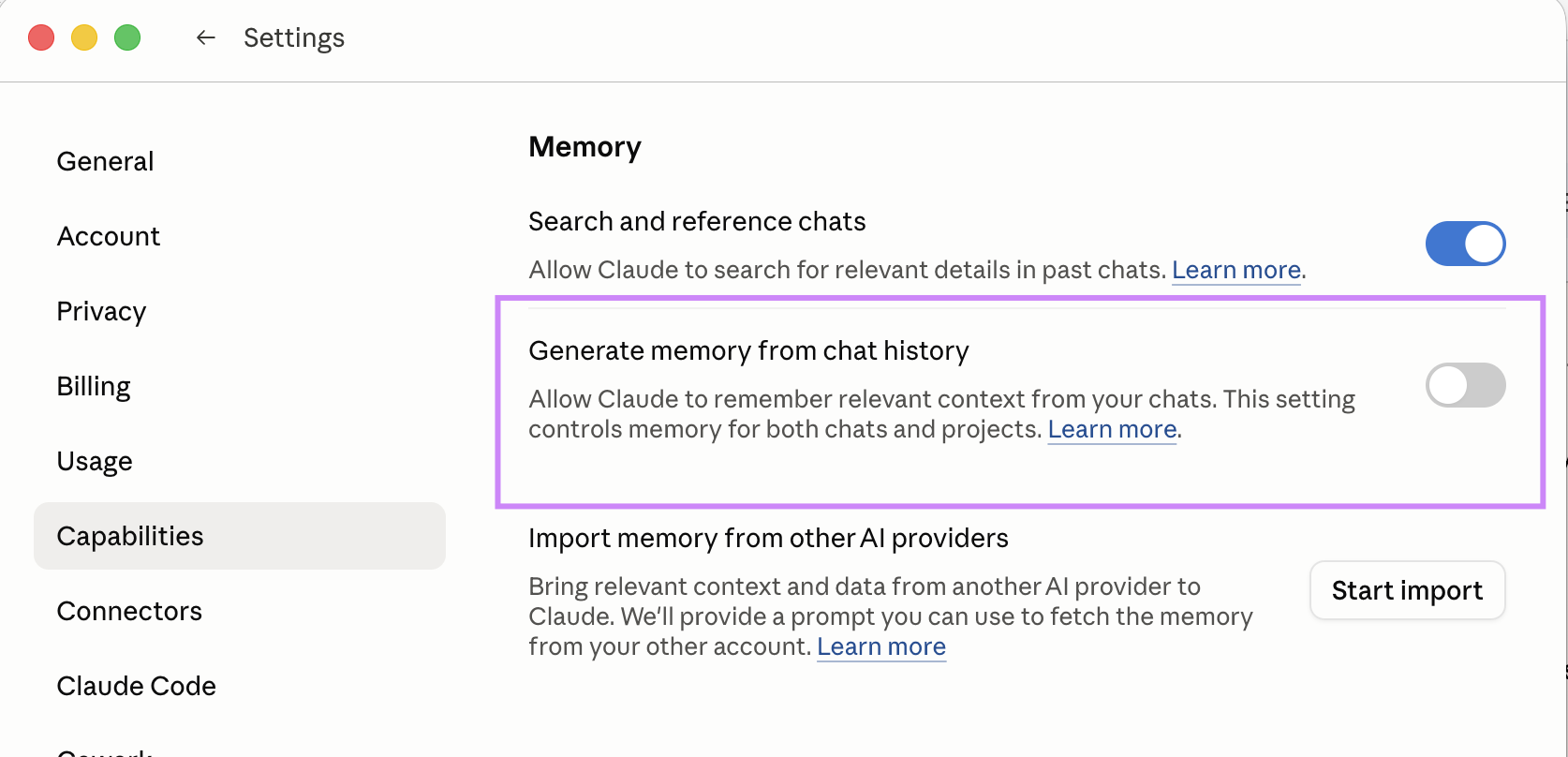
Get Anthropic's "transfer" prompt and pop it into ChatGPT
Anthropic actually provides a mega-prompt for you to switch, right in their app.
When you click on the "Start Import" button in the Memory area from the last step, you'll see a prompt screen like this. It will allow you to copy the pre-designed prompt Anthropic has given you to get a memory output from ChatGPT.
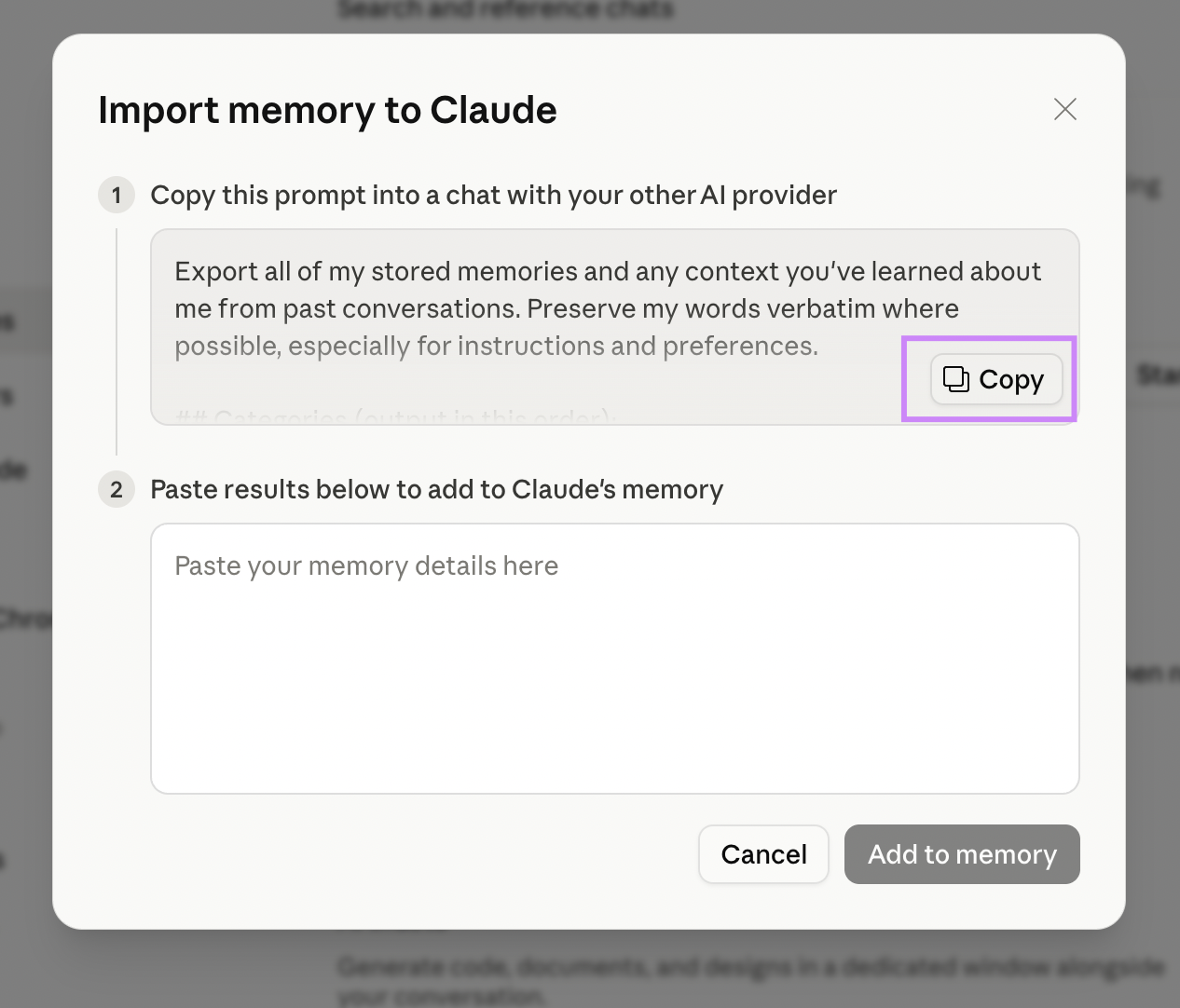
Add your memory
Once you have your response from ChatGPT, then you just copy and paste it right into the space below the original prompt back in Claude.
This will add the details you copied into Claude's memory. You can, of course, review and edit whatever ChatGPT outputs - and choose to remove or add details it may have missed or that you want to update.
From there Claude will regularly update its own Memory about you.
Get your bearings with Claude
After you've done that, there's still a lot to learn.
Claude has so many features beyond what ChatGPT can do, and depending on how you use them, they can really be a game-changer for your business like they have been for mine.
Claude has unique capabilities that make it so you can train it on the repetitive tasks you have so that it can perform them perfectly every time, just like an employee who has been trained on a SOP of yours. And you can continue to refine its training, and even schedule it to perform those tasks at specific time.
Read over here more about the features Claude has that you might want to start utilizing in your business, to knock out your busy work and get your manual tasks finished, so you can reclaim some of your humanity and spend more time offline.